


Sony cameras · Remote control guide
The old LANC jack on Sony cameras has been replaced by a USB-like port marked “Multi”. This guide explains what that port is, how it differs from LANC, and where the RCShutter RM-VPR1-compatible cable plugs in.
- LANC → Multi Terminal
- RM-VPR1 compatible
- Separate RX / TX lines
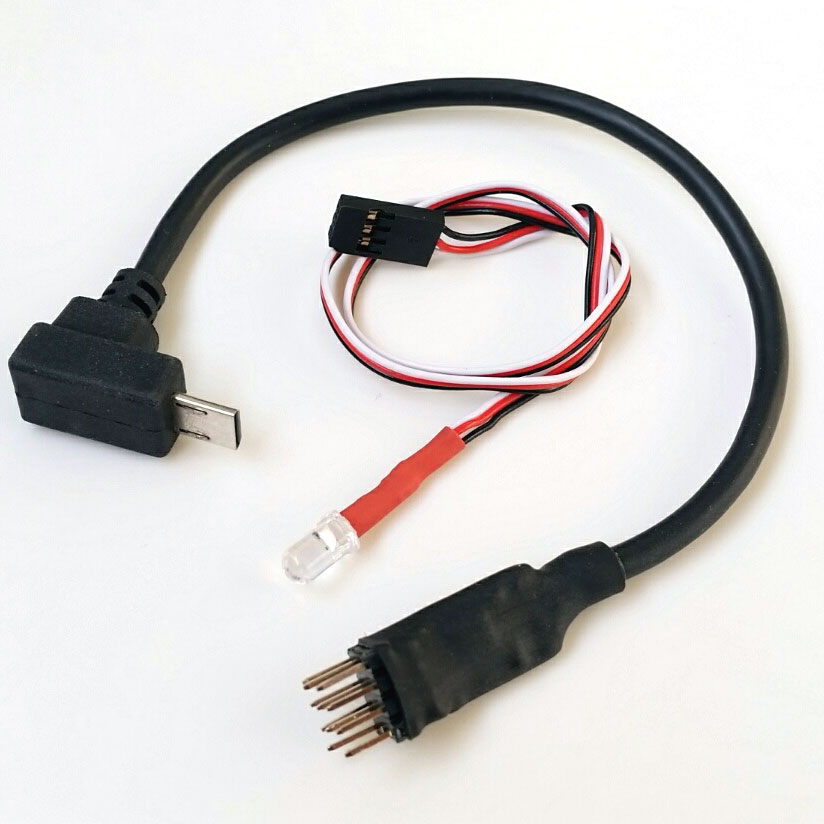
If your camera has a USB-like port marked “Multi”, an old 2.5 mm LANC cable will not work. The port is Micro-B (USB Type-B) shaped but has 15 pins inside, and control runs over separate RX and TX lines. The RCShutter RM-VPR1-compatible cable is made for this port.
From LANC to the Multi Terminal: a short history of Sony remote ports
LANC is a control protocol developed by Sony. It gives two-way communication between camera and controller over a single line. As cameras were redesigned, the same communication moved to different connectors.
-
2.5 mm LANC jack or 5-pin mini-DIN
The first generation. On the 2.5 mm jack the tip is the data line, the ring is +5 V and the sleeve is ground.
-
10-pin multi A/V remote jack
On Handycam camcorders, LANC moved to this jack. Reaching it directly needs an adaptor cable.
-
Multi / Micro USB terminal
Control compatibility appears on 2013 and selected 2014 models.
-
15-pin multi-purpose connector
Starting with the 2015 model year, Sony uses a special connector that looks like USB but has 15 pins inside.
From one line to two: how the control link changed
Old: LANC
One bidirectional data line, plus +5 V and ground.
New: Multi Terminal
Camera and controller talk over separate TX and RX lines.
The diagram is illustrative and does not show pin numbers.
Recognise the socket
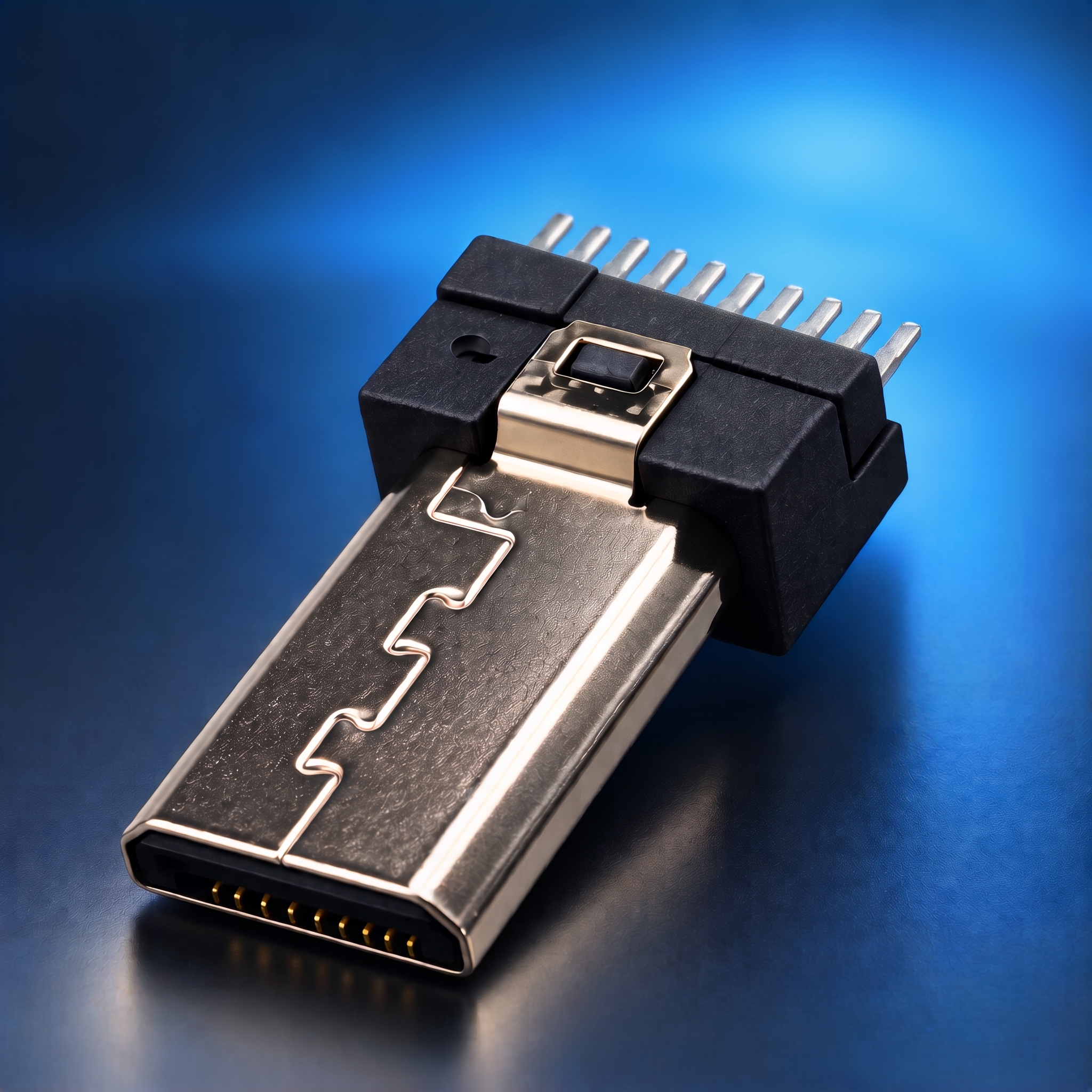
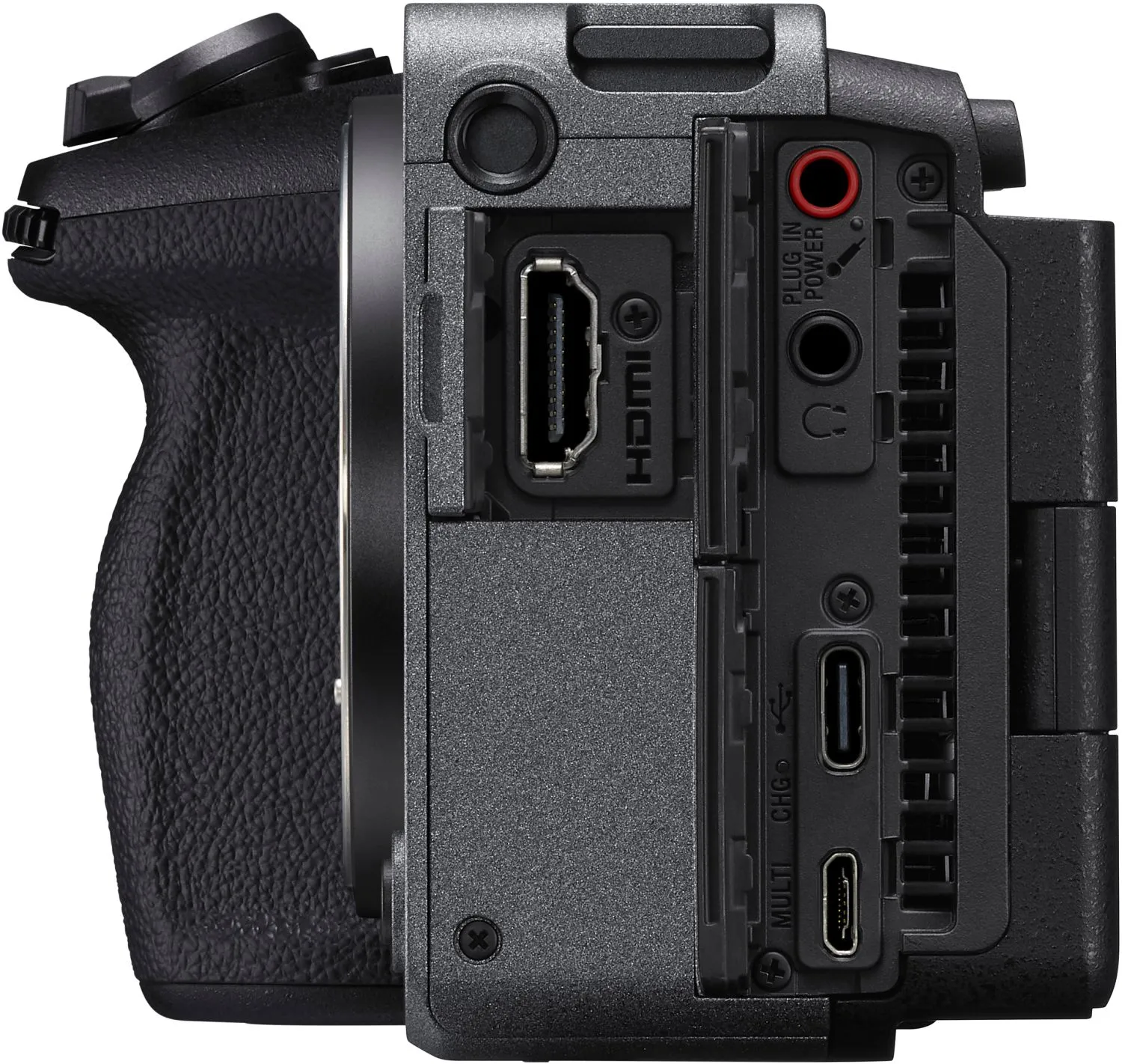
At first glance the Multi Terminal looks like a micro USB port. The difference is the “Multi” marking beside it and the extra contacts inside. A standard micro USB cable can physically plug in, but control signals run through the extra contacts. That is why a remote needs a cable made for this port.
- “Multi” marking on the body
- Micro-B (USB Type-B) shaped port
- 15-pin special structure inside
RCShutter Sony Multi Terminal cable
This RM-VPR1-compatible cable plugs into Sony cameras with a Multi Terminal port and sends control commands over two lines.
- Camera On-Off
- Record Start-Stop / Take Picture
- Zoom-in / Zoom Out
How does it connect?
The RCShutter cable bridges the receiver of your RC model (plane, helicopter, drone or vehicle) and the camera. It works with a standard PWM (servo) receiver signal. The number of channels you need is between 1 and 3, depending on the functions you want to use.
-
Decide how many channels you need
Reserve 1 to 3 free receiver channels, depending on how many functions you want.
-
Plug the receiver end into the receiver
Connect the receiver end of the cable to the free channel(s). The receiver must output a standard PWM (servo) signal.
-
Plug the camera end into the camera
The other end goes into the remote input that matches your camera model. For this product it is the Multi Terminal.
-
Assign the functions on your transmitter
Assign the channels to switches or sticks on your transmitter.
| Channels | Functions |
|---|---|
| Channel 1 | ON-OFF |
| Channel 2 | REC Start-Stop/Take Picture |
| Channel 3 | Zoom In-Zoom Out |
This information must match the product page.
Which cameras does it work with?
Examples from Sony’s own RM-VPR1 compatibility list:
- ILCE-5000
- ILCE-7
- ILCE-7R
- NEX-3N
- DSC-RX100M2
- DSC-RX10
- FX3
- FX30
This list is for Sony’s original RM-VPR1. If you need a cable for your Sony model, contact us. Sony’s full list
Frequently asked questions
Does my old LANC cable fit this port?
No. LANC cables use a 2.5 mm jack or another connector. The Multi Terminal has a different connector and communication.
How do I know my camera has a Multi Terminal?
Look for a USB-like port with “Multi” printed on or next to it. If you are unsure, send us your camera model.
Which receivers does it work with?
It works with RC receivers that have a separate standard servo (PWM) output for each channel. If you are unsure about your receiver, send us its model.
How many channels do I need to reserve?
Between 1 and 3, depending on how many functions you want to use. The table above shows which channel maps to which function.
My model is not on the list. Will it still work?
Not being listed does not mean it won’t work, but we can’t guarantee it. Send us your model and we will check it together.
Not sure about your model?
Send us your camera model and we will check compatibility together.
Sources: Sony RM-VPR1 compatibility listSony: LANC interfacesWikipedia: LANC